
 Claude
 ChatGPT
 Gemini
 Grok
Grok Copilot
 Perplexity
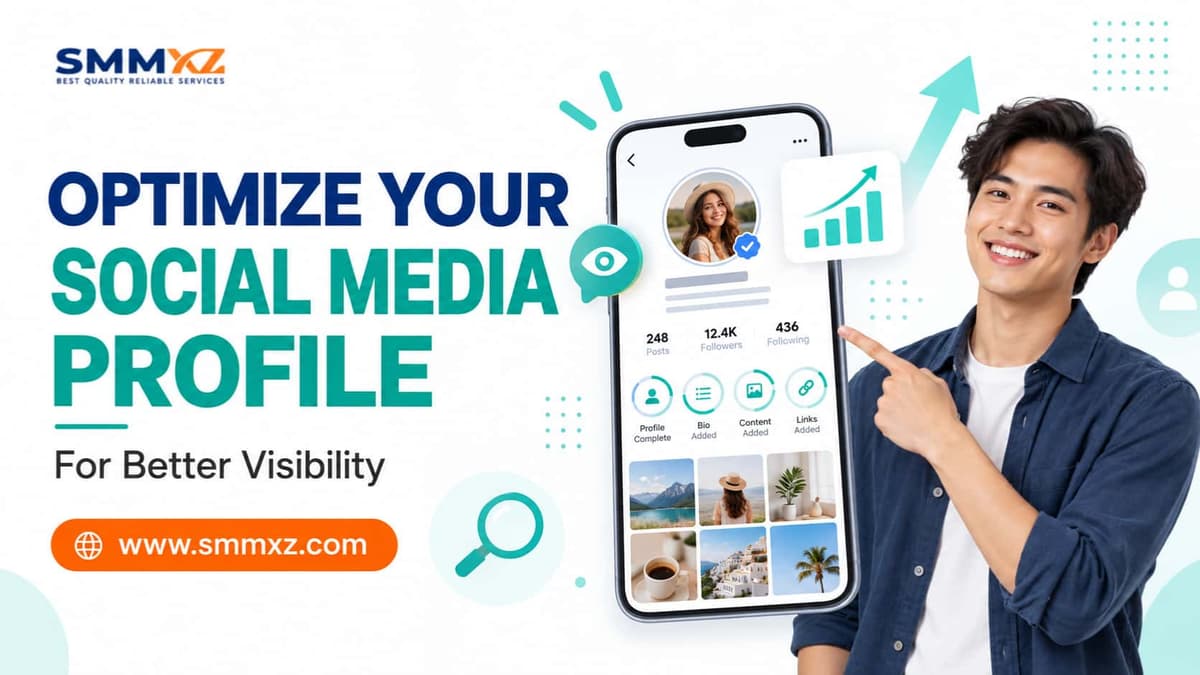
Optimizing your social media profile starts with making your account easy to understand at a glance. When someone lands on your page, they should quickly see who you are, what the account is about, and what they can do next.
That does not mean filling every field with keywords or trying to make the profile look overly polished. A good profile simply feels complete, easy to follow, and consistent with the content you actually publish.
Start With the Purpose of Your Profile
Before changing your bio, username, or profile photo, decide what you want the account to do. A creator may want more followers or collaborations, while a local business may care more about messages, calls, bookings, or website visits.
Once that purpose is clear, the rest becomes easier. You can decide which details belong in the bio, which link deserves attention, and what a new visitor should see first.
Choose a Name People Can Find Easily
Make your username easy to read, type, and remember. Too many numbers, symbols, or different usernames across platforms can make the account harder to find later.
Your display name can add useful context when it makes sense. A photographer may include a service or location, while a business can mention its category. Keep it natural and avoid turning the name into a string of keywords.
Use a Profile Photo People Can Recognize
Profile photos usually appear very small in feeds, search results, comments, and messages. A complicated image may look fine at full size but lose its meaning once the platform shrinks it.
Businesses can use a simple logo or recognizable brand mark. Creators usually benefit from a clear headshot. Keeping the image reasonably consistent across platforms also makes the account easier to recognize.
Write a Bio That Gets to the Point
A visitor should not have to guess what your account does. Use the bio to explain what you offer, who it is for, and what someone can do next.
For example, a clothing store could mention the type of products it sells, where it delivers, and how customers can order. That gives people more useful information than broad phrases such as “premium service” or “quality you can trust.”
Use Keywords Where They Make Sense
Keywords can help users and platform search features understand what your account is about, but they should fit naturally into the profile. If you are a wedding photographer in Dhaka, words such as “wedding photographer” and “Dhaka” already add useful context.
Use those terms in places such as the display name, bio, headline, or About section where they belong. Repeating the same keyword in every field makes the profile look forced instead of optimized.
Make Your Main Link Worth Clicking
Think about the most important action you want a visitor to take. If your goal is getting orders, link to the page that makes ordering easy. If you want bookings, send people directly to the booking page.
A multi-link page can work if you genuinely need several destinations. Even then, put the most important option first so visitors do not have to figure out which link matters.
Complete the Details People May Look For
Some profile fields matter more than others. A local business may need a location, contact method, business hours, category, or website, while a creator may need a strong bio and featured content.
Look at the account as a visitor. If someone would reasonably need a piece of information before following, contacting, or buying from you, make that detail easy to find.
Pin the Posts New Visitors Should See
Most people will not scroll through months of content to understand an account. Pinned posts let you decide what they see first and can quickly explain what the profile is about.
You might pin an introduction, a product demonstration, a useful guide, a portfolio example, or a common customer question. Three well-chosen posts can often do more than a long bio.
Organize Highlights and Featured Content
Highlights and featured sections work best when they save people time. A business might use categories such as Delivery, Prices, Reviews, FAQ, Services, or How to Order.
Creators can organize Tutorials, Projects, Collaborations, Behind the Scenes, or Gear. The labels should make sense even to someone visiting the account for the first time.
Make the Feed Match What the Bio Promises
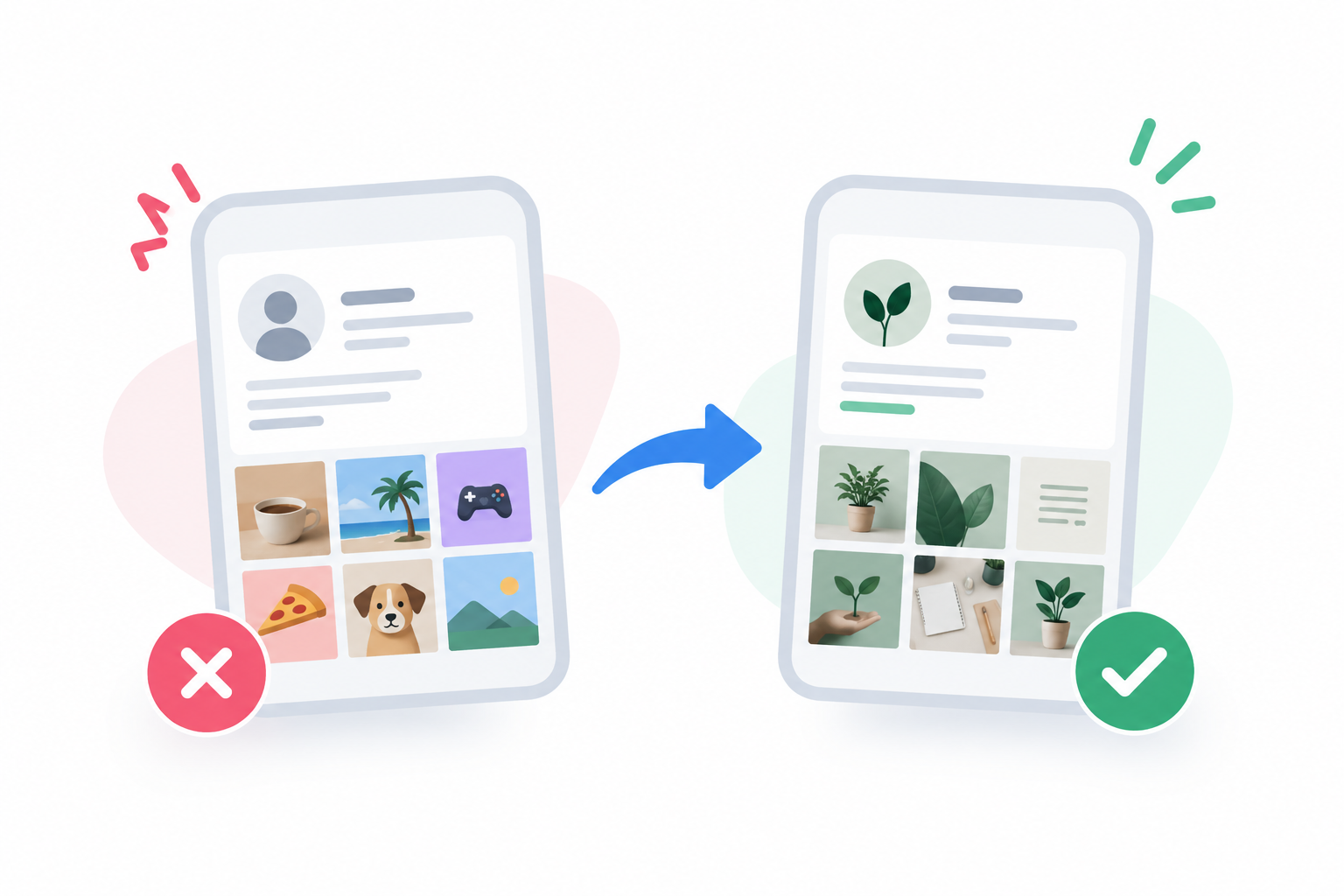
If your bio says the account teaches social media marketing, but the recent posts are mostly unrelated, visitors may hesitate to follow. The content and profile do not need to look identical, but they should support the same general theme.
This matters even more when you actively promote the account. If you use a reliable SMM panel in BD as part of your wider promotion plan, make sure the profile gives new visitors a clear reason to stay once they arrive.
Adjust the Profile for Each Platform
You can keep the same identity without making every profile exactly the same. Each platform gives you different space and different features, so use them in a way that fits how people browse there.
Instagram may depend more on a short bio, Highlights, and pinned posts, while LinkedIn gives you more space through the headline and About section. YouTube and Facebook also present profile information differently.
Instagram and TikTok
Keep the bio short and easy to scan. Make the niche, offer, or content theme obvious, and use the main link for the most important next step.
If you want more ideas on profile growth and content setup, this Instagram profile growth guide can help with profile and content planning.
Complete the Page details people are likely to check, such as contact options, category, website, address, or opening hours. A cover image can also give useful context instead of acting only as decoration.
If you are building a small-business presence, this Instagram marketing guide for small businesses also gives practical ideas around profile setup, content, and audience growth.
Spend time on the headline instead of using only a job title. LinkedIn gives you more room to explain your work through the headline, About section, experience, and featured content.
LinkedIn also provides guidance on profile introduction fields such as your photo, headline, location, and contact details. You can review its official profile introduction guidance when updating those sections.
YouTube
Keep the channel name, description, banner, links, and recent videos aligned around a clear subject. Someone who finds one video should be able to visit the channel and understand what else you usually publish.
Your channel does not need to look perfect. It just needs to make the topic, style, and next step easy to understand.
Give People Reasons to Trust the Profile
Specific information usually builds more trust than broad claims. Instead of saying “best service” or “number one,” show real work, customer feedback, service details, portfolio examples, or practical information people can judge for themselves.
The same applies to numbers and achievements. Use them when they are accurate and useful, not simply because large figures make the account look more impressive.
Make Contact Easy
If someone wants to ask a question or buy something, do not make them search for your contact details. Check that your email, phone number, website, messaging button, or booking link still works.
You also do not need to list every possible contact option. One or two channels you actually monitor are more useful than several choices that receive slow replies.
Check the Profile on Your Phone
A profile can look fine while you edit it on desktop but appear very different on mobile. Long bios can break into awkward lines, and cover images may crop important text.
Open the account the way a visitor would. Check the photo, name, first lines of the bio, link, pinned content, and contact options before scrolling further down.
Watch What Visitors Do Next
Profile views alone do not tell you much. What matters is whether those visits turn into follows, clicks, messages, calls, bookings, or another action connected to your goal.
A local service business may care more about enquiries than follower growth. A creator may focus more on how many profile visits turn into new followers.
Common Profile Optimization Mistakes

Many weak profiles do not have one major problem. Instead, they have several small issues such as a blurry image, vague bio, broken link, outdated pinned content, or no obvious next step.
Another mistake is promoting the profile before fixing these basics. More visitors do not help much when people arrive and still cannot understand what the account offers.
A Simple Social Media Profile Optimization Checklist
A profile review works best when you look at it the same way a new visitor would. Start with the first things people notice: your name, profile photo, bio, main link, and recent content.
Do not try to fix everything at once. Check the most visible parts first, then move to smaller details such as Highlights, contact options, featured posts, and platform-specific fields.
- Use a recognizable name and username
- Choose a clear profile image
- Explain what the account is about in the bio
- Add keywords naturally
- Check the main website or contact link
- Keep contact details updated
- Pin posts that introduce the account
- Organize Highlights or featured sections
- Make sure recent content matches the profile
- Review the profile on mobile
After that, open every important link and make sure it still works. Old URLs, outdated contact details, and irrelevant pinned posts can make an active account look neglected.
It also helps to review the profile whenever your services, branding, location, or main offer changes. Small updates are usually enough; you do not need to redesign the whole account every time.
Final Thoughts
A strong social media profile should answer the obvious questions before a visitor has to ask them. Who are you, what is the account about, why should someone stay, and what should they do next? Get those basics right before worrying about smaller optimization tricks.
Profile optimization is not a one-time task either. Services change, links expire, old posts become outdated, and audiences shift. Check the profile from time to time, watch what visitors do after they arrive, and fix the parts that create confusion.
FAQs
What does social media profile optimization mean?
Social media profile optimization means improving the visible parts of an account so people can understand, find, and interact with it more easily. This usually includes the profile photo, name, bio, links, contact details, pinned content, and platform-specific fields.
How do I optimize my social media bio?
Keep the bio focused on what you do, who the account is for, and what someone can do next. Add words related to your niche naturally, but avoid turning the bio into a list of keywords.
Should I use keywords in my social media profile?
Yes, if they genuinely describe your work, niche, product, service, or location. Use them naturally in fields such as the display name, headline, bio, or About section instead of repeating the same phrase everywhere.
What should I optimize first on my social media profile?
Start with the profile photo, display name, bio, main link, and pinned content. These are usually the first elements a new visitor notices.
Should I use the same profile information on every platform?
Keep the main identity consistent, but adjust the details for each platform. LinkedIn may need a stronger professional headline, while Instagram may depend more on a short bio, Highlights, and pinned posts.
How often should I update my social media profile?
Update it whenever your services, contact details, website, location, role, or branding changes. It is also worth checking the profile from time to time for outdated links or old information.
Can profile optimization help increase followers?
A better profile can make it easier for visitors to understand why they should follow you. Growth still depends on content quality, audience fit, visibility, and ongoing engagement.
What makes a social media profile look trustworthy?
Accurate information, a recognizable photo, working links, clear contact details, consistent branding, and real examples of your work all help. Specific information usually builds more confidence than broad claims such as “best” or “number one.”